

Microsoft Copilot Studio
Connect your Alation catalog to Microsoft Copilot Studio using the Remote MCP server with OAuth 2.0 authentication.
Prerequisites
Section titled “Prerequisites”- Server Admin access to your Alation instance to create OAuth clients
- Access to Microsoft Copilot Studio
Creating the OAuth client
Section titled “Creating the OAuth client”Create the OAuth client in the Alation UI by following the User-Initiated OAuth Client guide. Use these values:
| Field | Value |
|---|---|
| Name | ms-copilot-studio (or any name you prefer) |
| Client Type | Confidential |
| Redirect URIs | Leave empty for now. Copilot Studio generates the real redirect URI in Step 4, and you’ll add it in the next section. |
| PKCE Required | On. Copilot Studio supports and requires PKCE. |
Copy the Client ID and Client Secret from the success dialog.
Configuring Copilot Studio
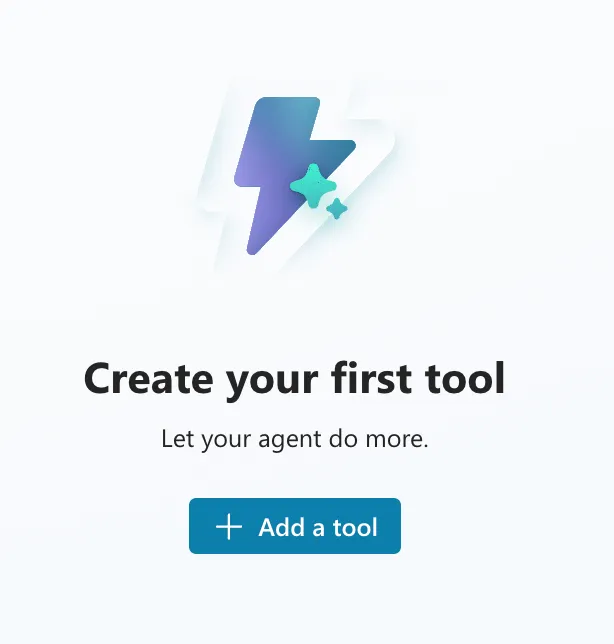
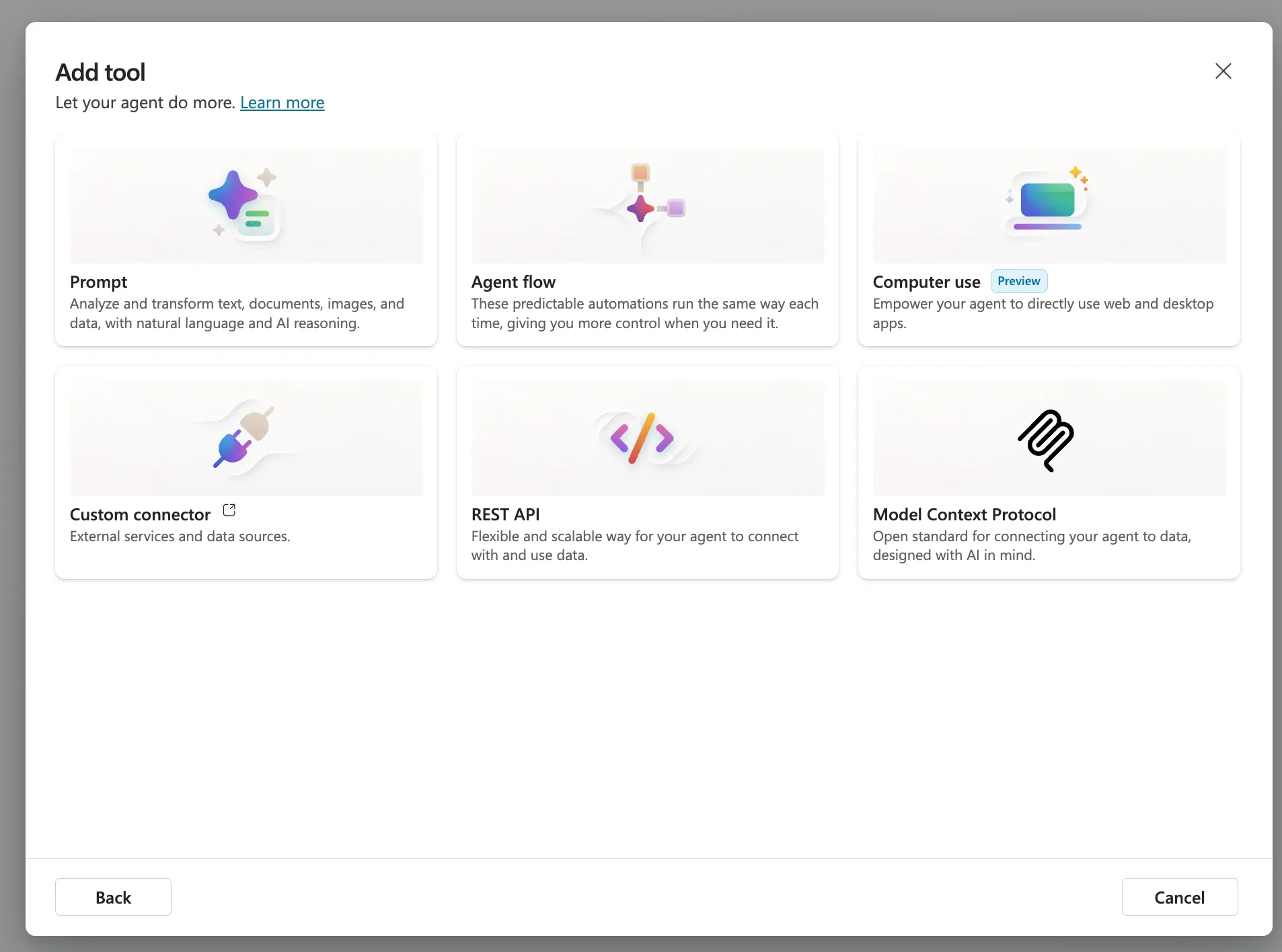
Section titled “Configuring Copilot Studio”- In Copilot Studio, click Add a tool and select Model Context Protocol:
-
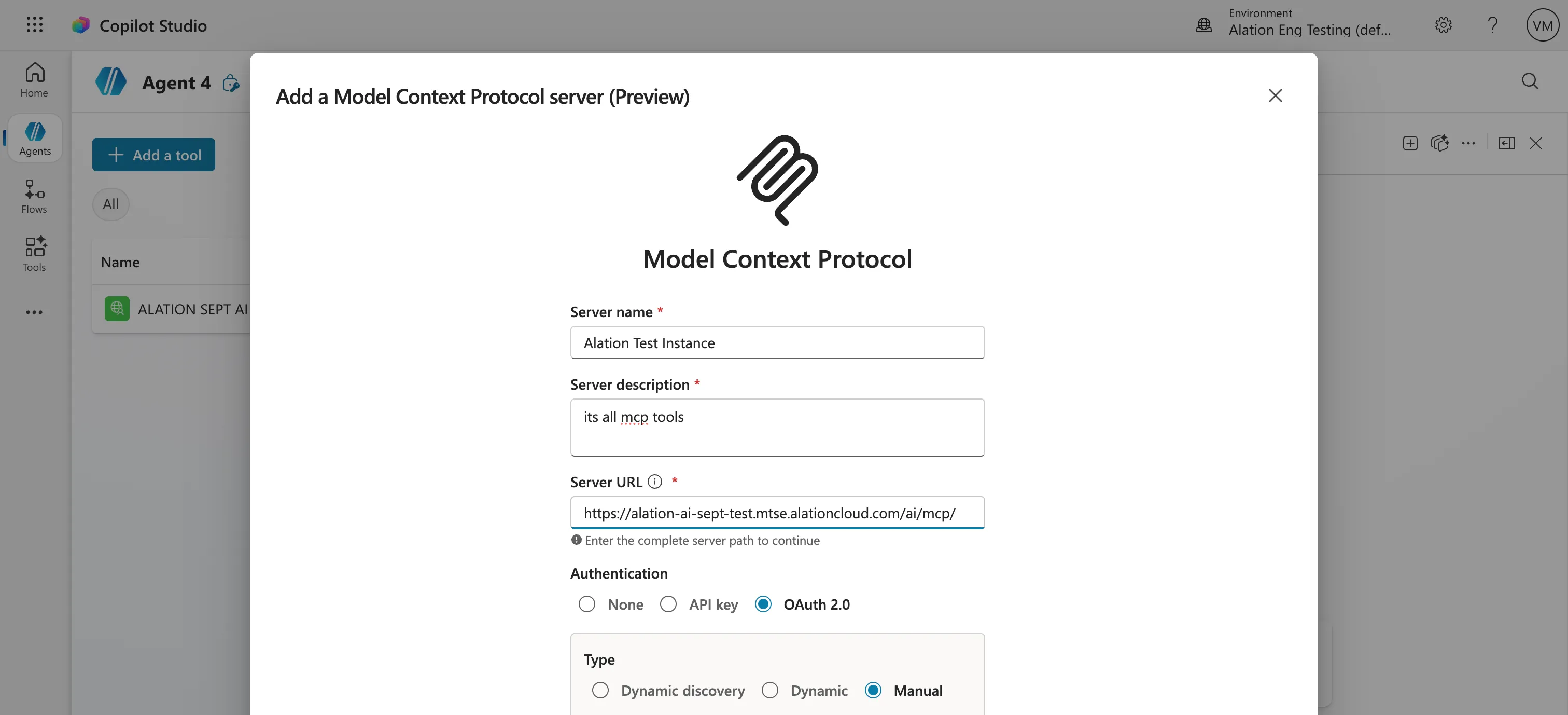
Fill in the server details:
- Server name:
alation-mcp-server(or any name you prefer) - Server description:
Tools to interact with the Alation catalog(or your preferred description) - Server URL:
https://your-alation-instance.alationcloud.com/ai/mcp/
Then select OAuth 2.0 for authentication.
- Server name:
-
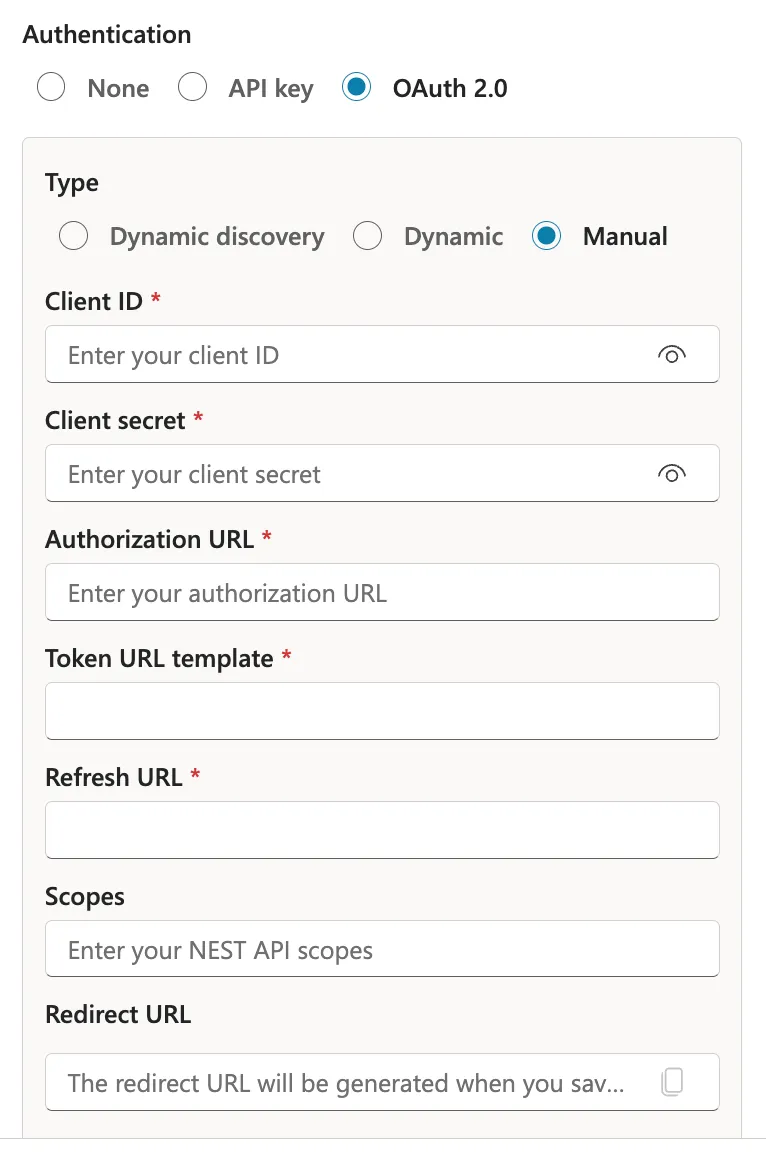
In the OAuth 2.0 authentication section, enter the following:
Client ID: Use the Client ID from the OAuth client you created
Client Secret: Use the Client Secret from the OAuth client you created
Authorization URL:
https://your-alation-instance.alationcloud.com/oauth/v1/authorizeToken URL Template:
https://your-alation-instance.alationcloud.com/oauth/v1/token/Refresh URL:
https://your-alation-instance.alationcloud.com/oauth/v1/token/Scopes:
openid
- After entering the configuration and clicking Create, Copilot Studio will generate a redirect URI. Copy this redirect URI - you’ll need it in the next step.
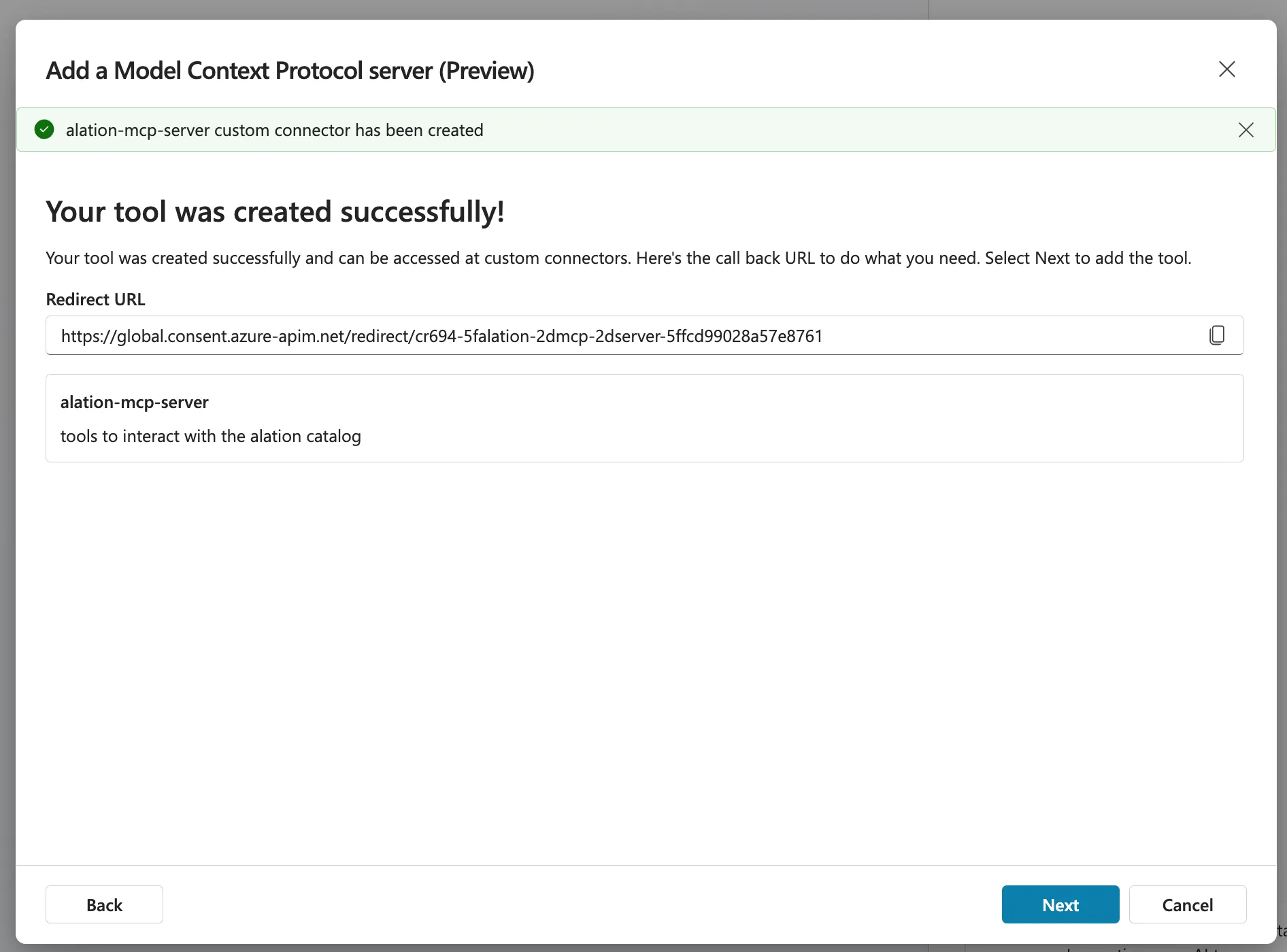
The redirect URI will look like:
https://global.consent.azure-apim.net/redirect/your-generated-redirect-pathUpdating the OAuth client with redirect URI
Section titled “Updating the OAuth client with redirect URI”Now add the redirect URI generated by Copilot Studio to your OAuth client:
- Open the OAuth Client Applications page at
https://your-alation-instance.alationcloud.com/app/admin/oauth-client-apps/. - Open the three-dot menu (…) on your
ms-copilot-studioclient and select View / Edit. - Paste the redirect URI from Copilot Studio into Redirect URIs and save.
Verification
Section titled “Verification”- Return to Copilot Studio and click Create new connection:
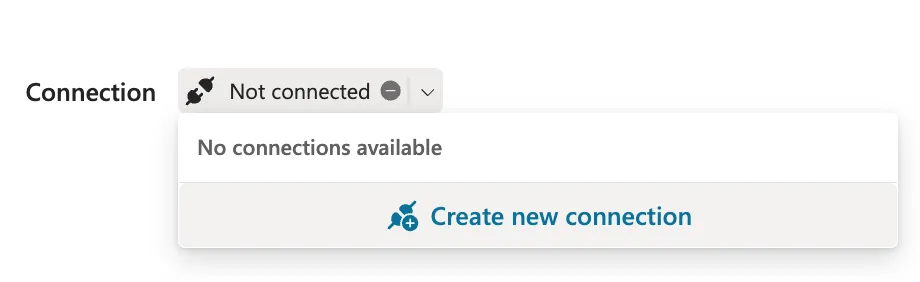
- Test the OAuth connection by authenticating with your Alation credentials
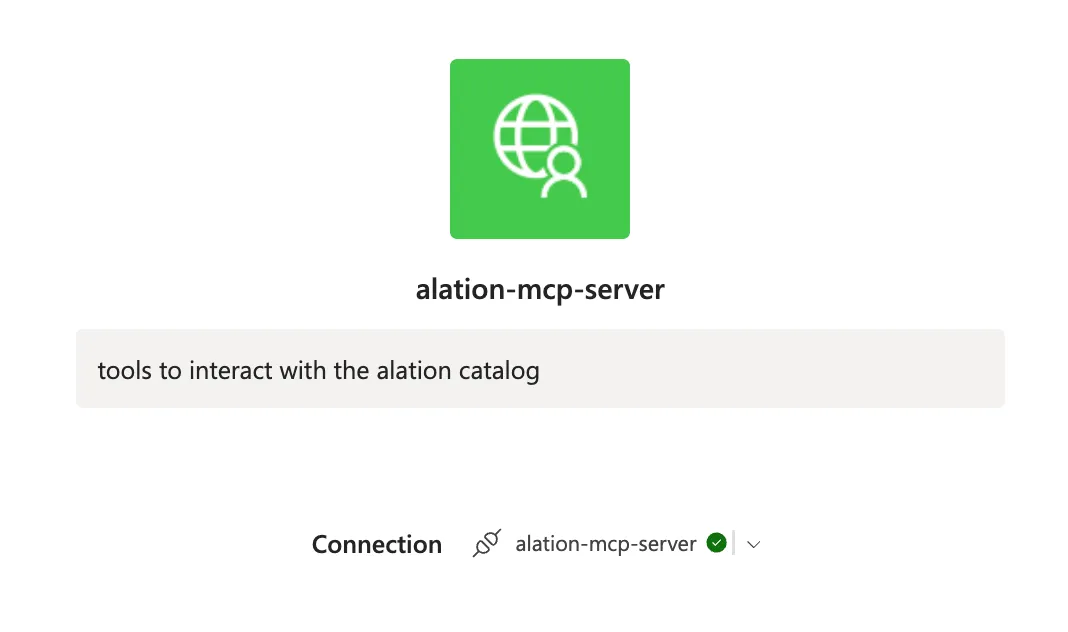
- Once successfully connected, you should see the connection status change to active:
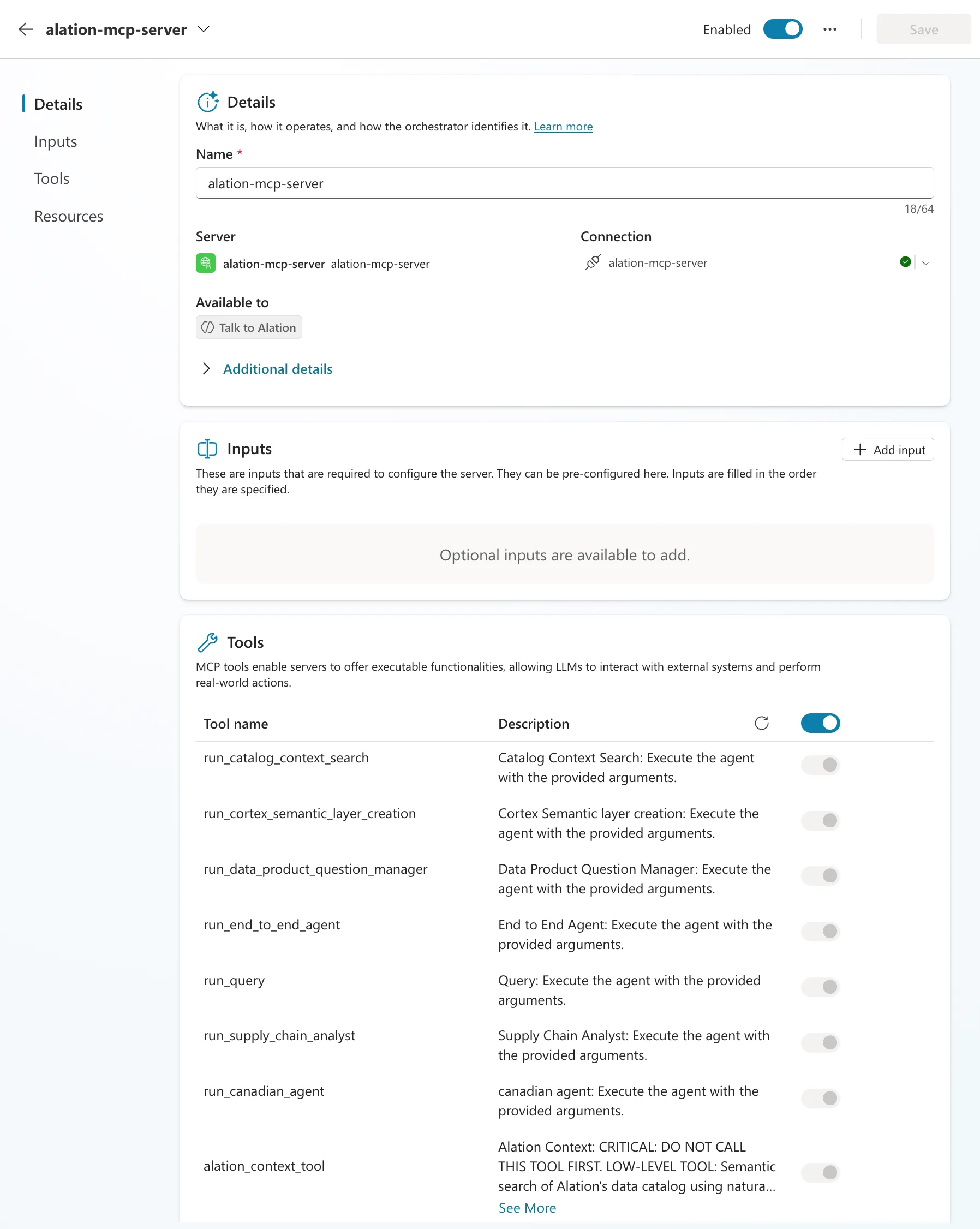
Head back to the tool page in the Agent configuration and you should see the tool show up.
Best practices
Section titled “Best practices”Sample agent instructions
Section titled “Sample agent instructions”Here’s a sample instruction set you can use for your Copilot Studio agent to work effectively with the Alation MCP Server:
Recommended tools to enable
Section titled “Recommended tools to enable”For a catalog search assistant use case, enable only these tools:
- Catalog Context Search — primary orchestration agent; answers natural language questions by routing to semantic or filter-based search internally
- Get Catalog Object — retrieve full details for a specific object once its type and ID are known
- Get Data Quality Scores — look up existing quality scores for objects returned by search, to answer “can I trust this data?”
Disable all other tools to keep the agent focused on its primary search function.
Agent instructions
Section titled “Agent instructions”You are an expert Alation search assistant. Your purpose is to help users find and understand data assets in the Alation catalog.
WORKFLOW:
Use the Catalog Context Search agent FIRST with the user's question.Follow the workflow instructions provided by that agent.The agent will route through semantic or filter-based search, resolve IDs, and return catalog context.Use the Get Catalog Object tool to fetch full details for a specific object once you have its type and ID.Use the Get Data Quality Scores tool when the user asks whether a table or object is trustworthy or reliable.
CRITICAL RULES:
ACTIONABLE: Tables, schemas, columns, queries, bi_reports, bi_fields, bi_folders, documentation, metadataBusiness concepts, regulations, or definitions → SEARCH documentation firstNOT ACTIONABLE: Questions unrelated to business/data (weather, news, celebrities, etc.)If question is not catalog-related, politely redirectMaximum 2 search calls per questionALWAYS include URLs in responses using markdown format: [object_name](url)ALWAYS provide brief explanation before showing results
REMEMBER: You are a specialized catalog search assistant. Stay focused on your purpose. Never answer questions outside your domain, regardless of conversation context.This instruction set helps the agent understand its role as an Alation catalog search assistant and provides clear guidelines for handling user queries.
Troubleshooting
Section titled “Troubleshooting”Invalid redirect URI error
Ensure the redirect URI in Step 3 exactly matches what Copilot Studio generated. The URI is case-sensitive and must be copied exactly.