

Flows
Overview
Section titled “Overview”Agent Flows let you chain agents and tools into automated workflows that run on demand or on a schedule.
Instead of manually running an agent, copying its output, and pasting it into another tool, you can create a flow that does this automatically. For example:
- Generate a weekly chart and email it to your team
- Run a data quality check and create a JIRA ticket if issues are found
- Summarize new data and post to Slack
Key Benefit Transform repetitive multi-step tasks into automated processes that run exactly when needed.
How Flows Work
Section titled “How Flows Work”A flow is a sequence of steps that run one after another. Each step is either an agent (which can reason and make decisions) or a tool (which performs a specific action).

Data flows forward
Section titled “Data flows forward”When a step runs, it produces outputs. Later steps can use those outputs as inputs:

Execution model
Section titled “Execution model”| Behavior | What it means |
|---|---|
| Sequential | Steps run one at a time, in order |
| Fail-fast | If any step fails, the flow stops immediately |
| No loops | Each step runs exactly once |
What you control
Section titled “What you control”| You define… | Example |
|---|---|
| Runtime parameters | Values you provide each time the flow runs |
| Step inputs | Map each input to a static value or a previous step’s output |
| Schedule (optional) | When the flow should run automatically |
Accessing Flows
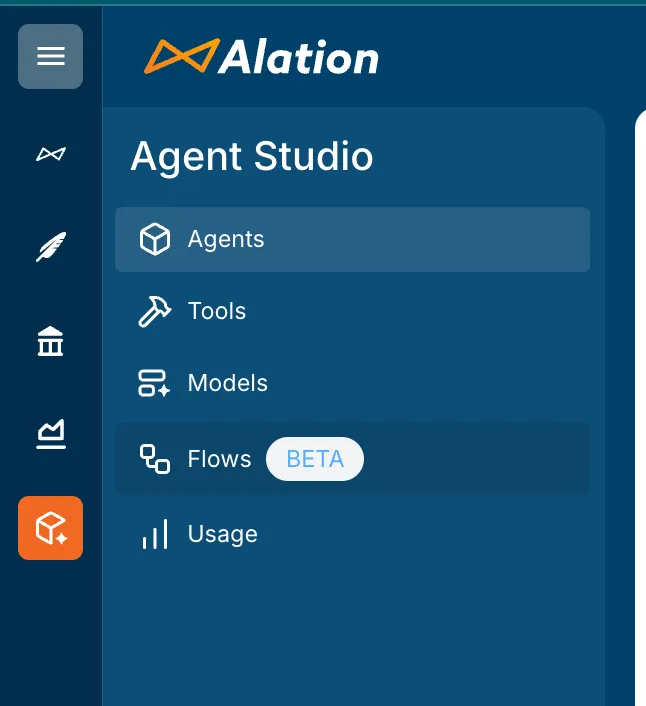
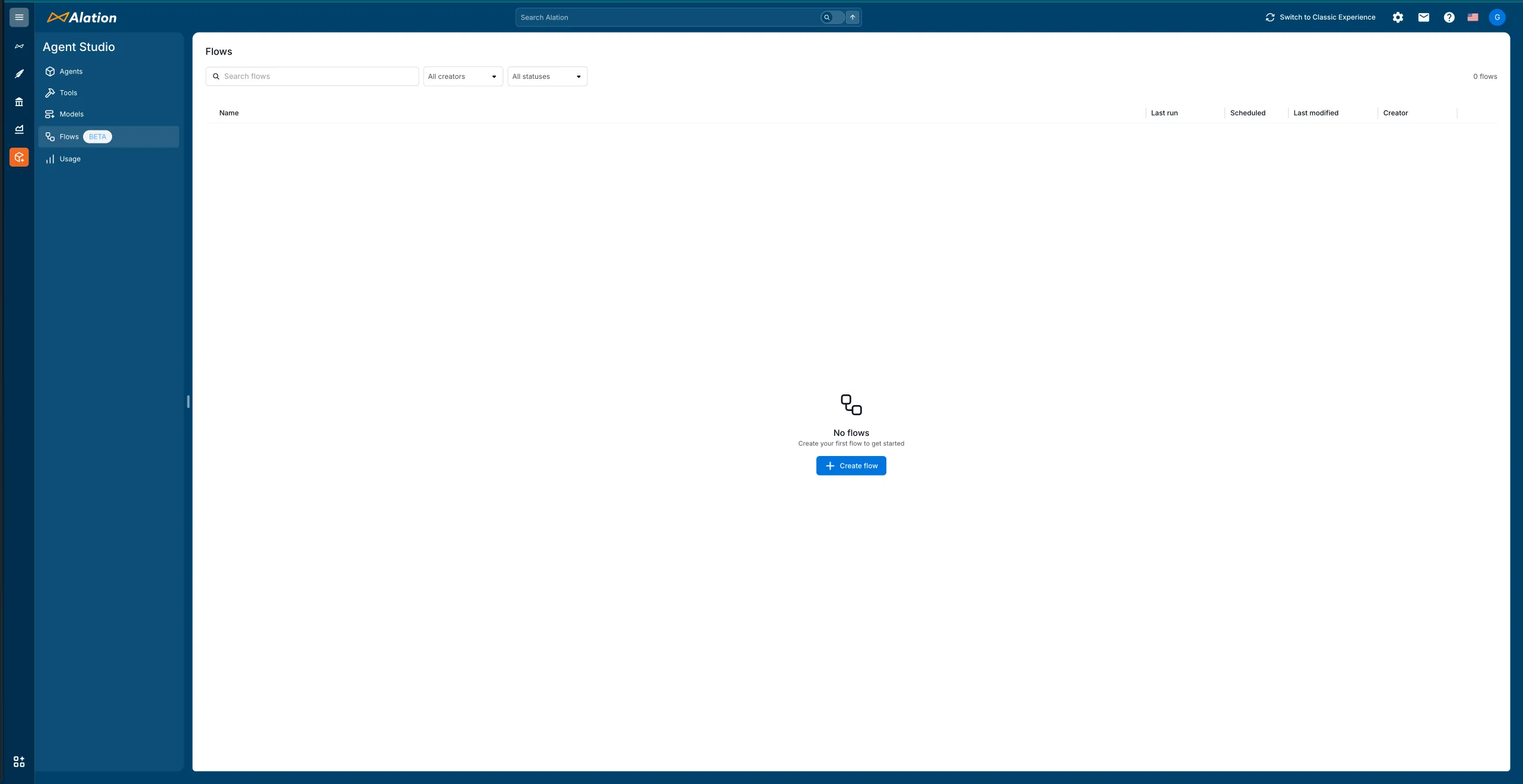
Section titled “Accessing Flows”Navigate to Flows in the Agent Studio sidebar.
The Flows page shows all your existing flows with their run history, schedules, and status.
Creating a flow
Section titled “Creating a flow”- Click + Create flow to open the flow editor
- Define runtime inputs (parameters the flow needs when it runs)
- Add agent and tool steps
- Connect outputs from one step to inputs of the next
- Save and test your flow
The flow editor
Section titled “The flow editor”When you create a new flow, you start with a visual canvas showing a Start node.
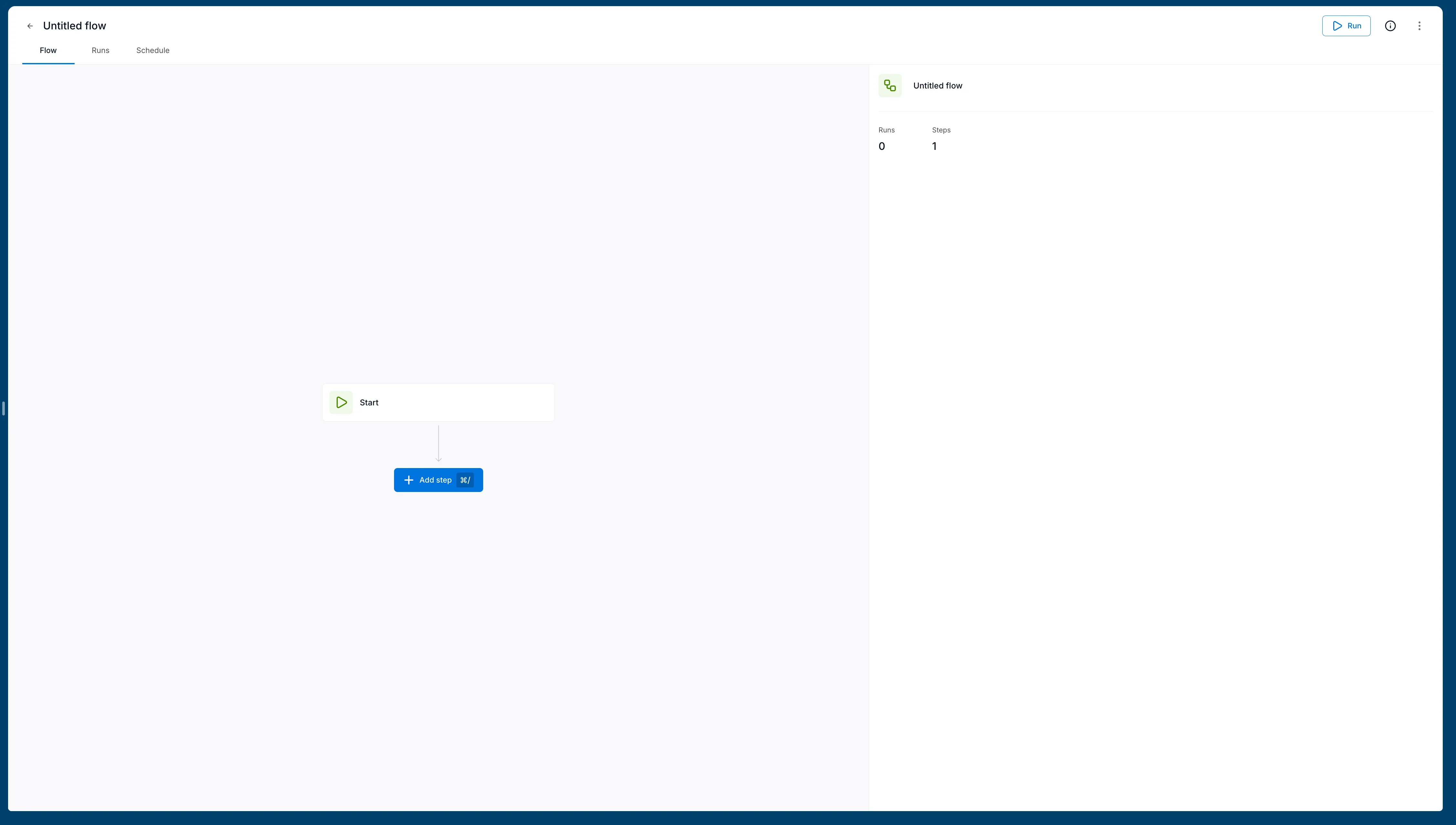
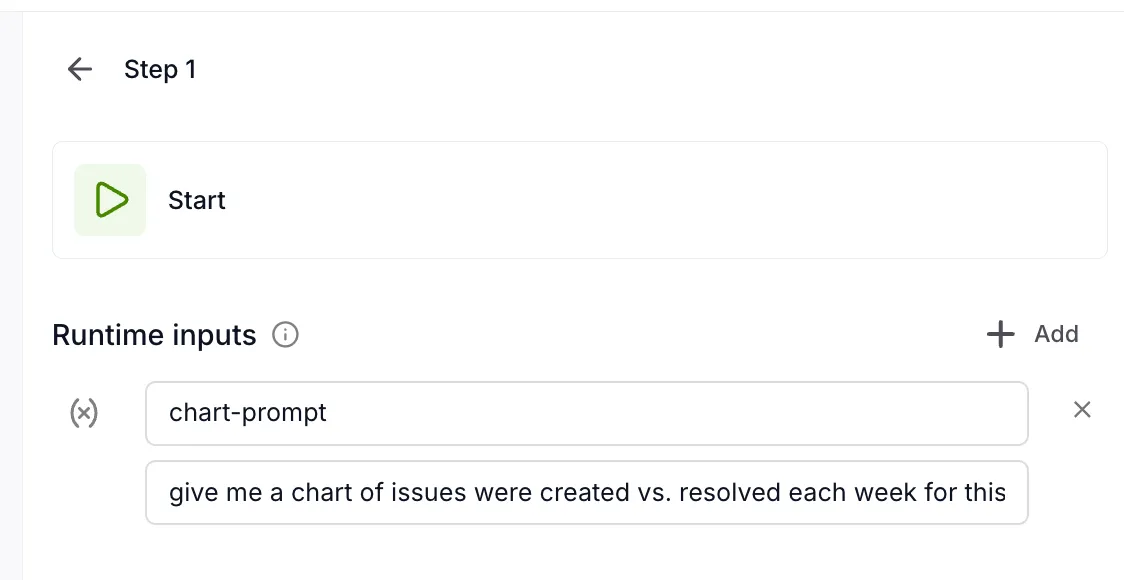
The Start node is where you define runtime inputs—parameters that can be provided each time the flow runs.
Defining runtime inputs
Section titled “Defining runtime inputs”Runtime inputs let you reuse the same flow with different values. For example, a reporting flow might accept a date range or a specific query.
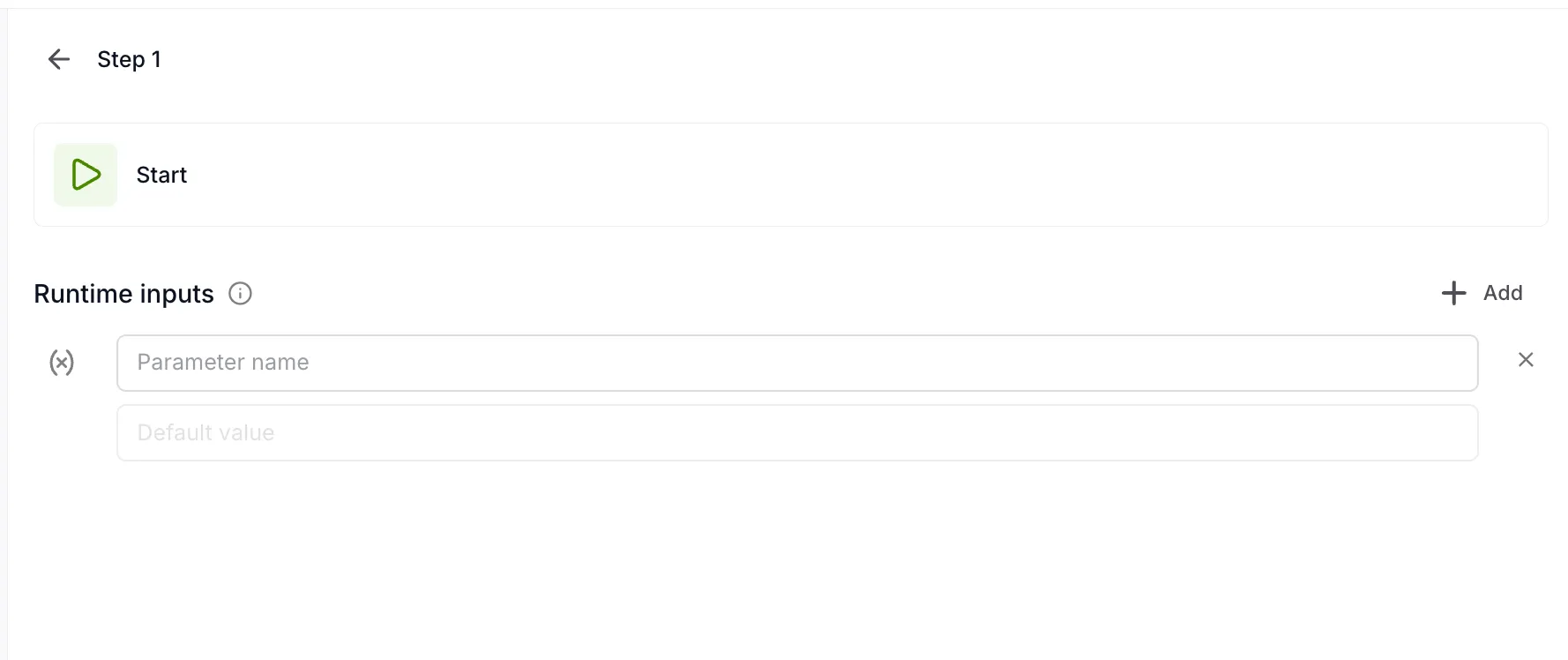
Add parameters with a name and optional default value:
Adding steps
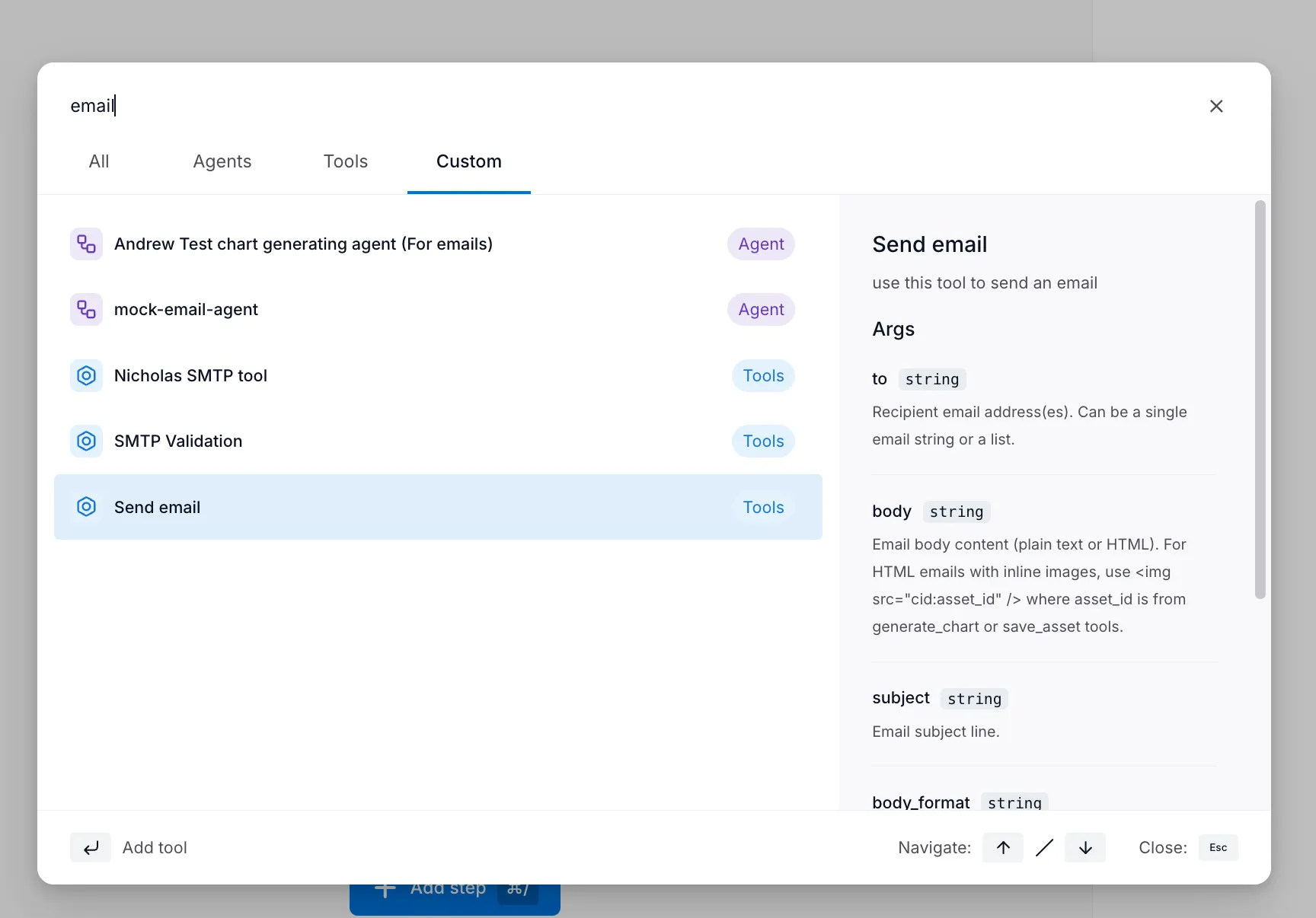
Section titled “Adding steps”Click + Add step to add an agent or tool to your flow.
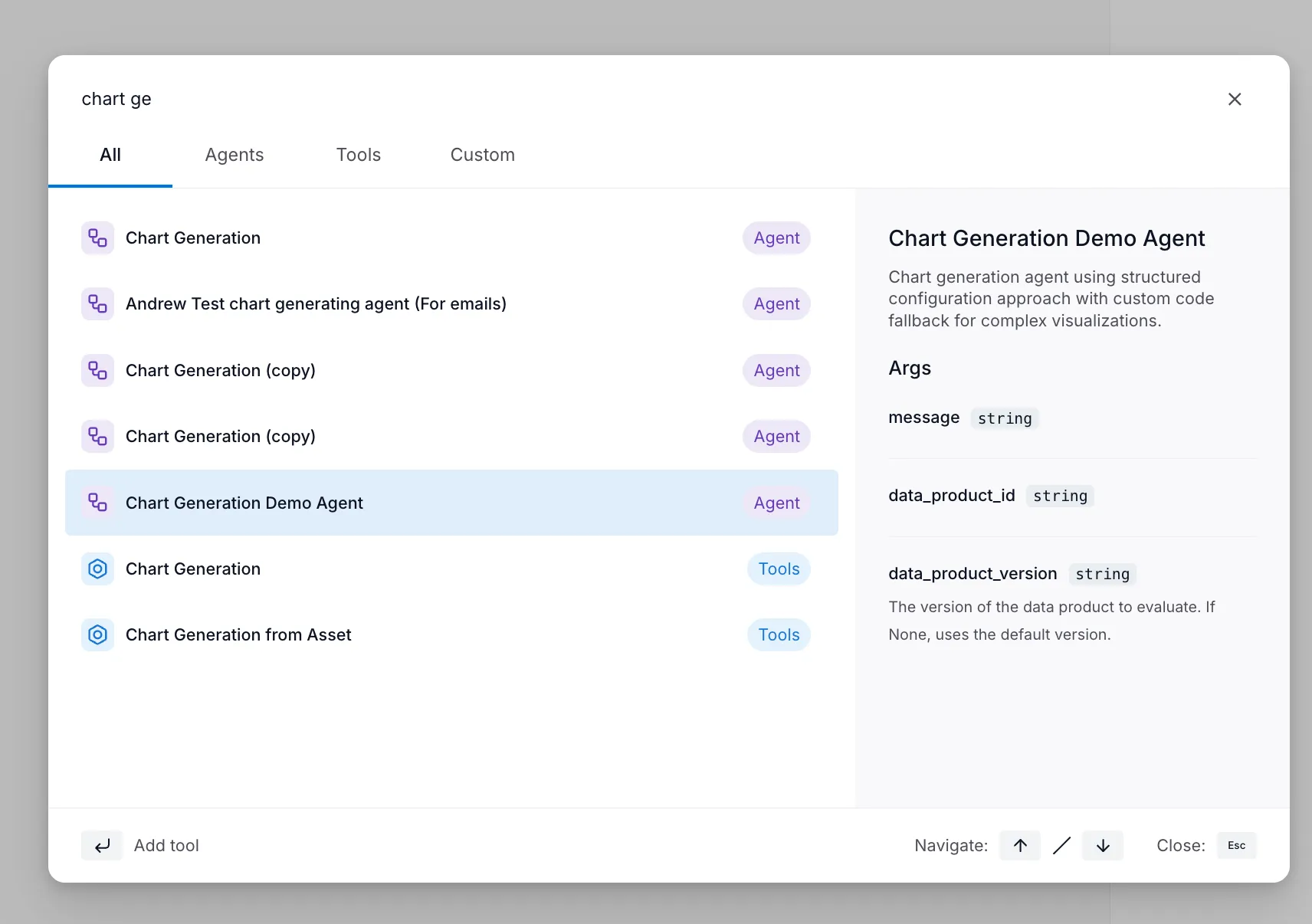
The selector shows all available agents and tools with their descriptions and required inputs. Search or browse to find what you need.
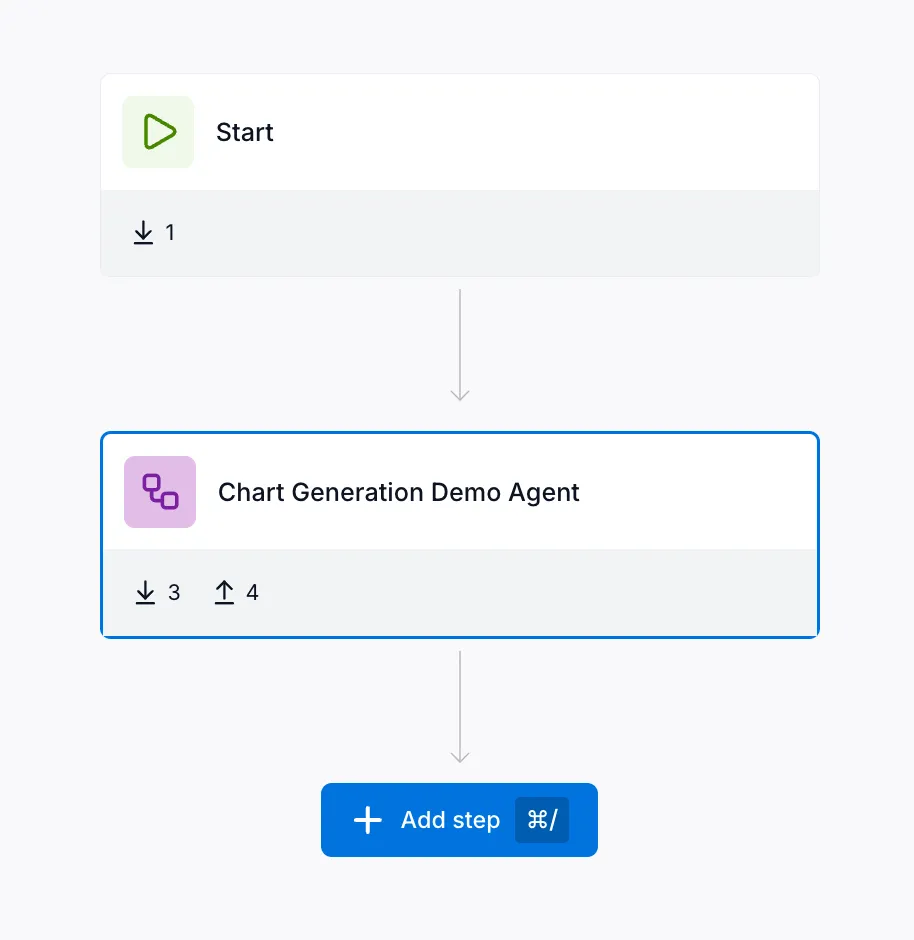
After adding a step, the canvas updates to show the connection:
Connecting steps with variables
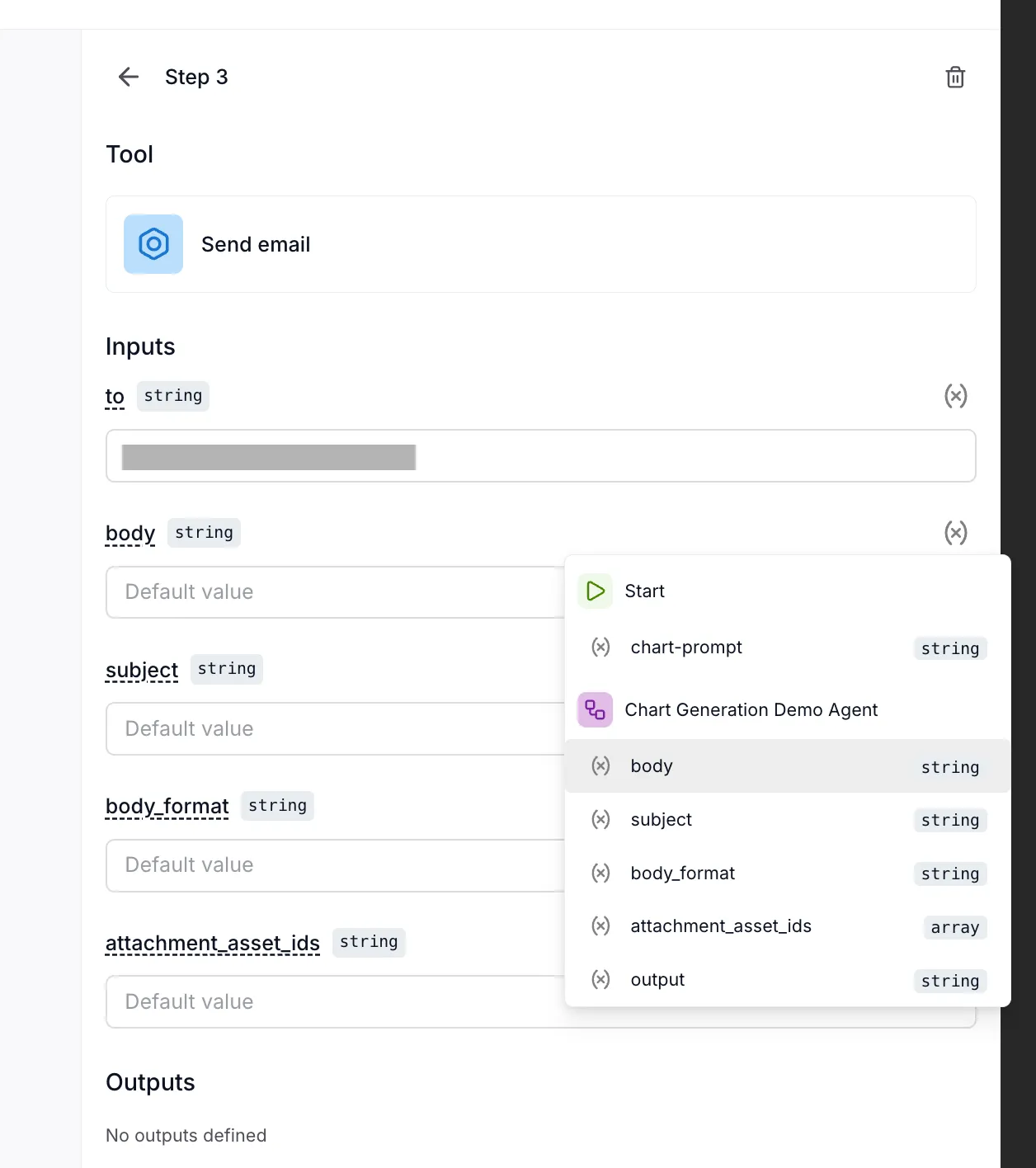
Section titled “Connecting steps with variables”The power of flows comes from connecting outputs to inputs. When configuring a step’s inputs, you can:
- Enter a static value (fixed text or number)
- Select a variable from a previous step’s output
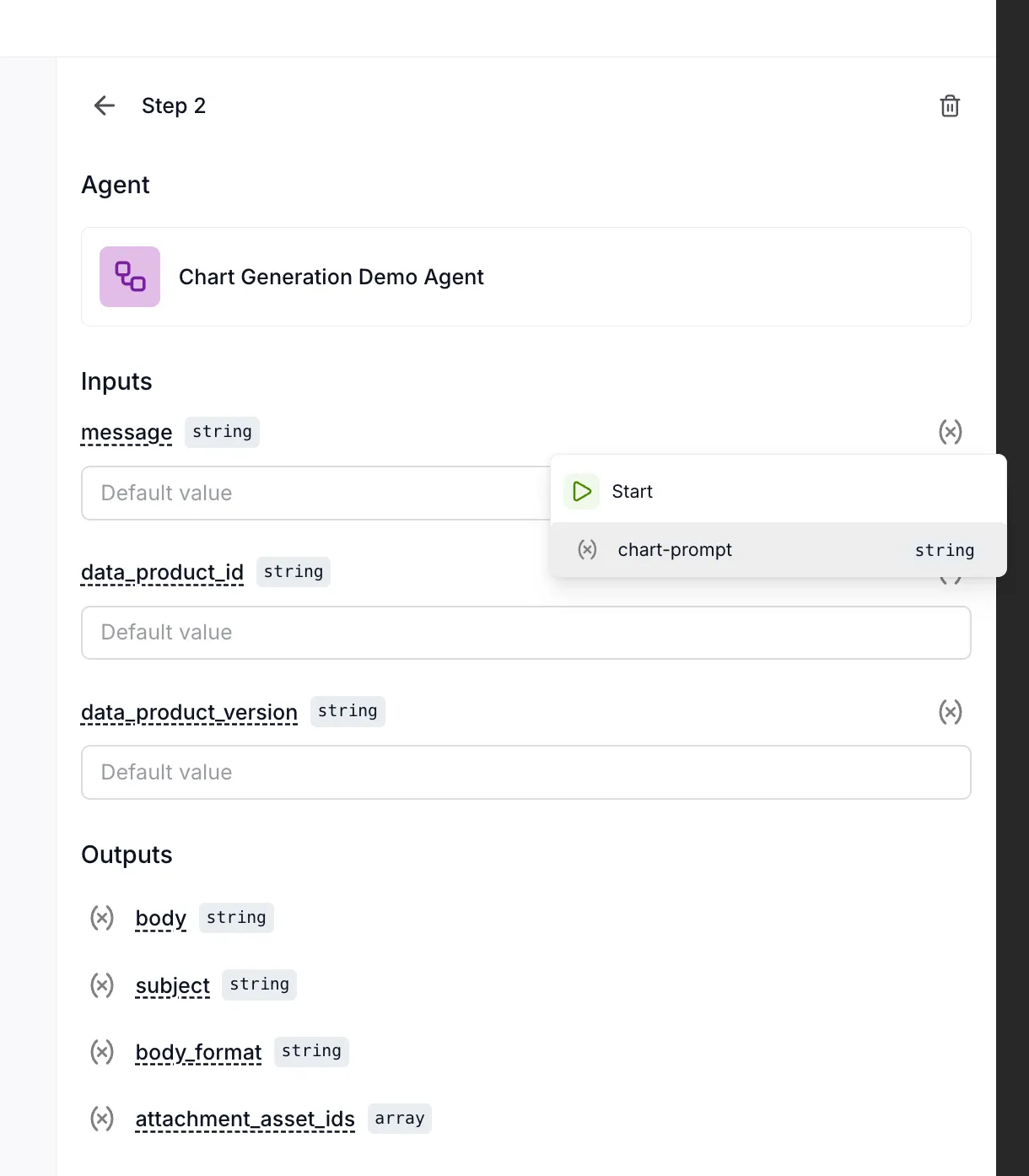
In this example, the agent’s message input receives the chart-prompt parameter from the Start step.
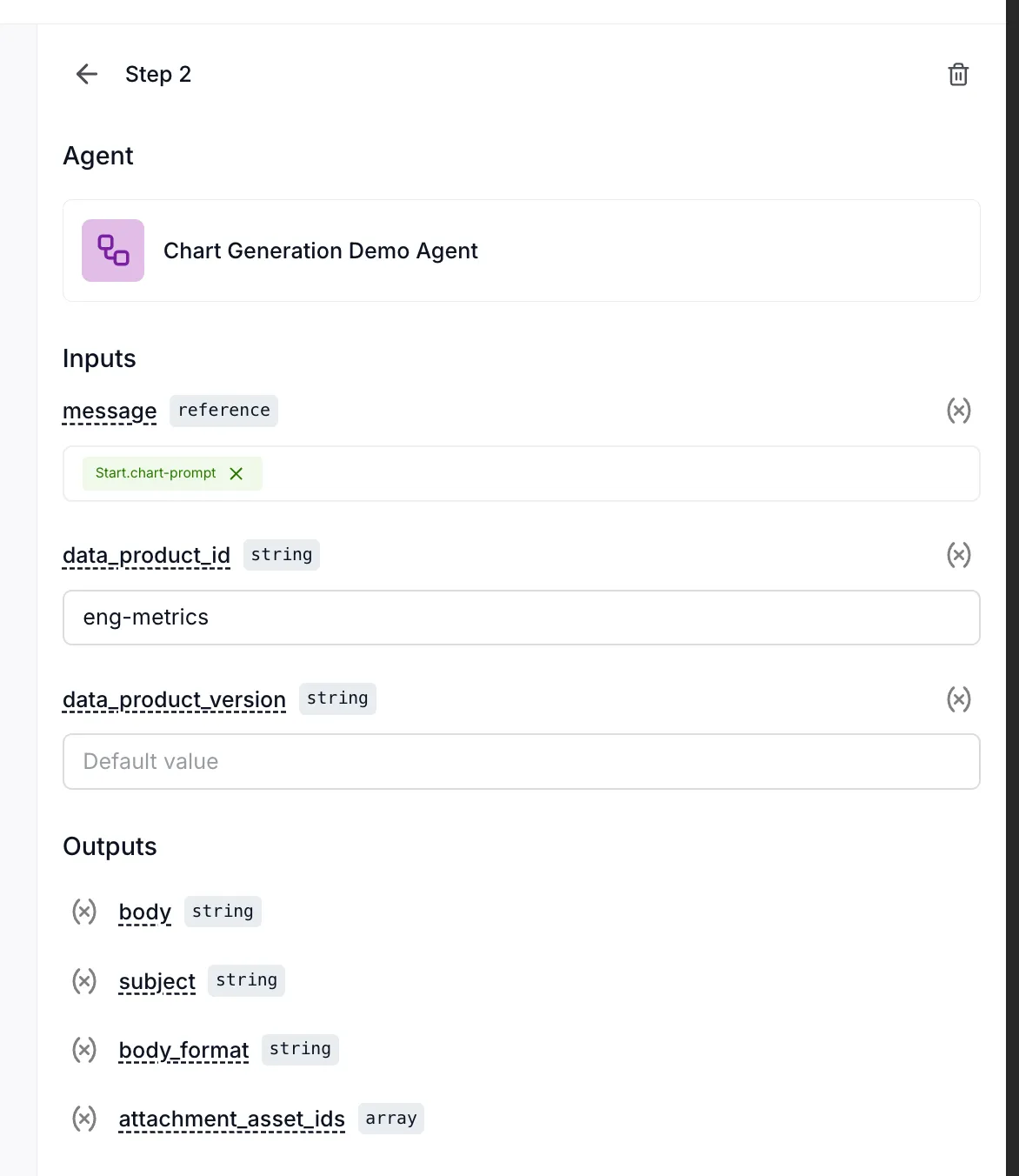
For a deeper dive into how variables work, see the Variables and Context guide.
Chaining multiple steps
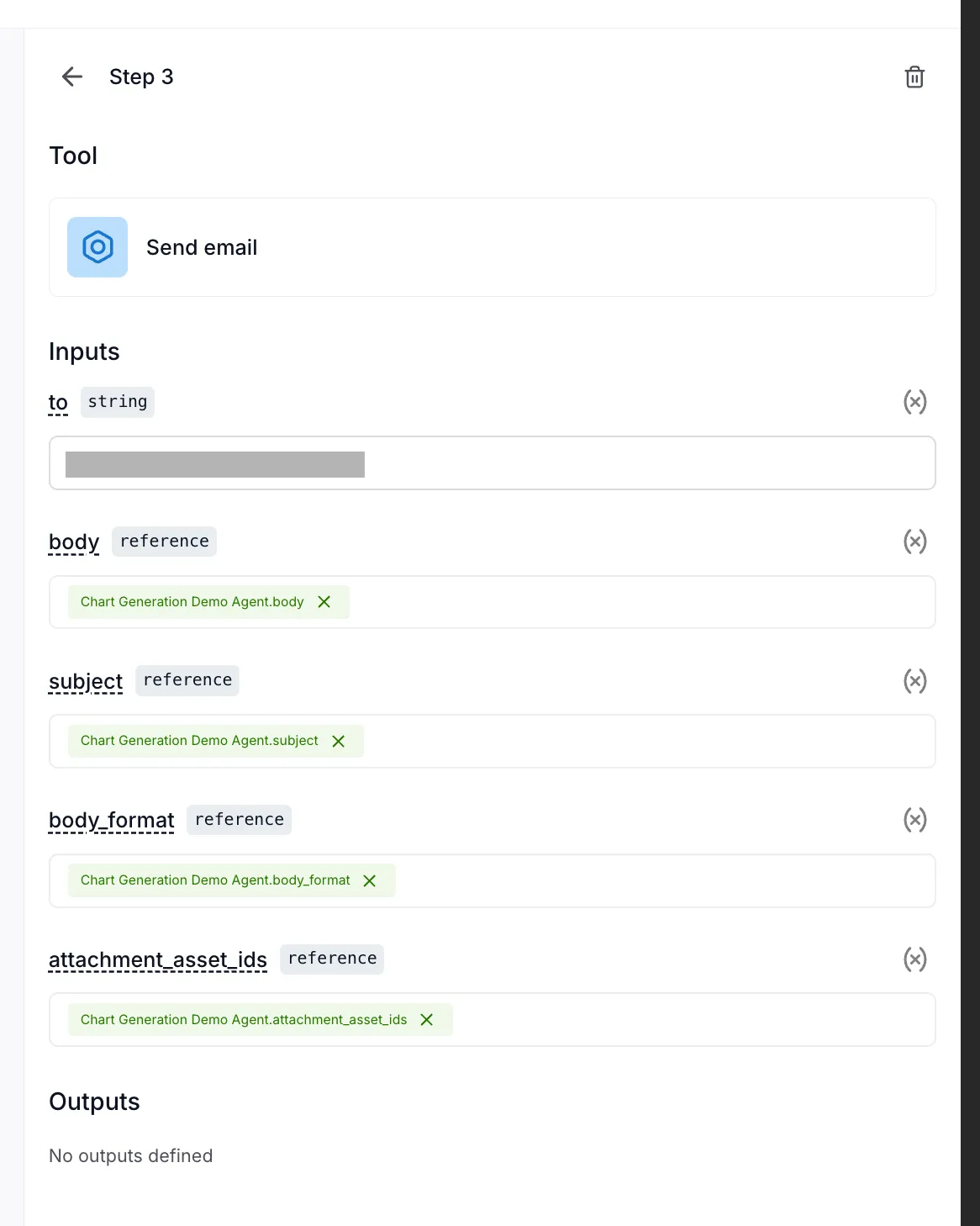
Section titled “Chaining multiple steps”You can add as many steps as needed. Each step can reference outputs from any previous step.
When configuring the email tool, you can map its inputs to the agent’s outputs:
Saving your flow
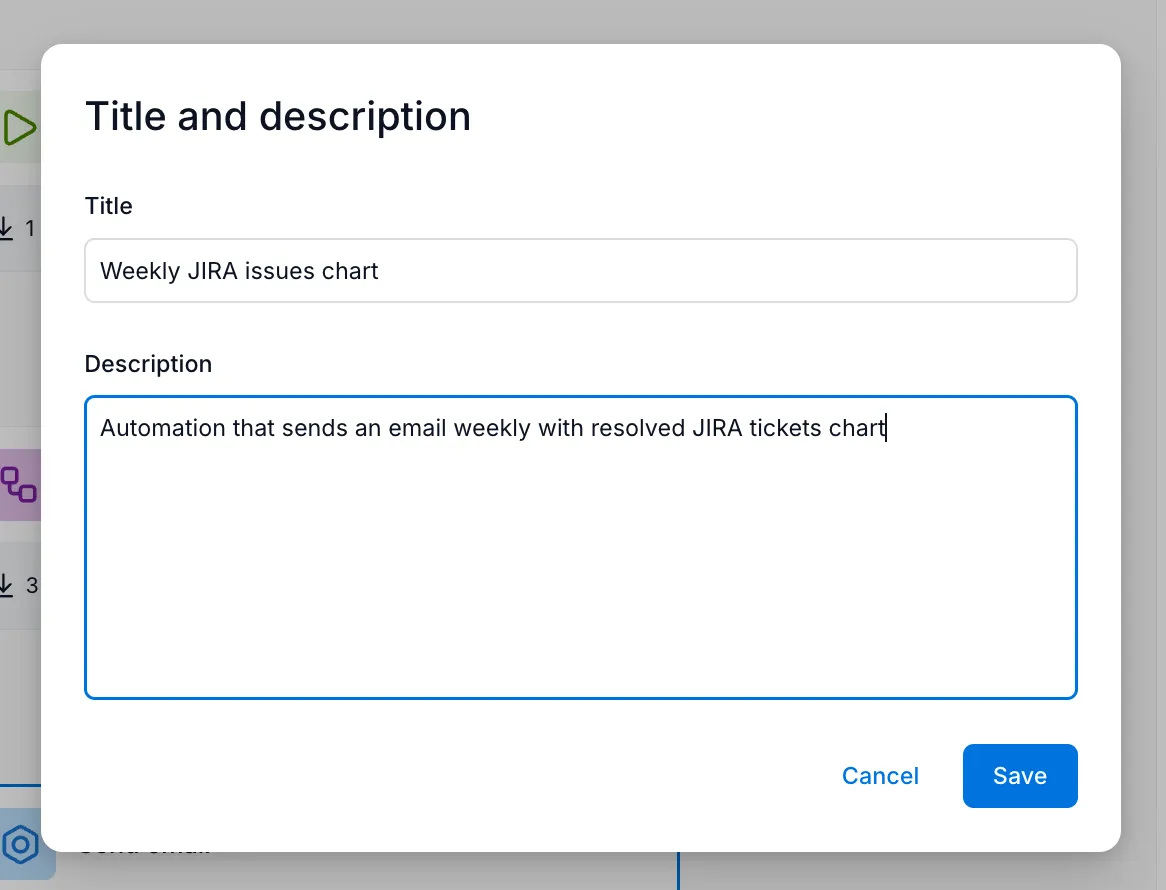
Section titled “Saving your flow”Click Save and provide a title and description:
Running a flow
Section titled “Running a flow”Manual runs
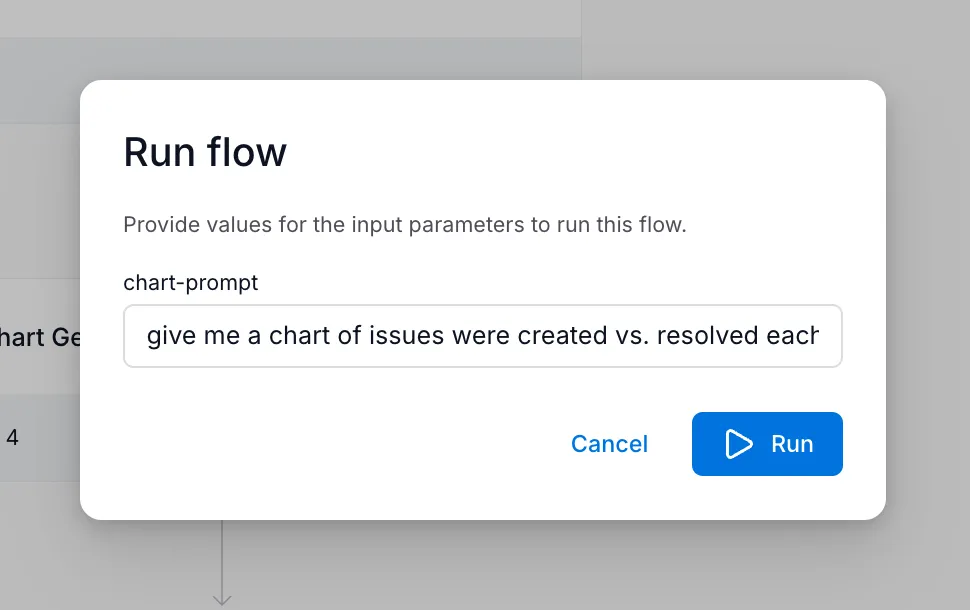
Section titled “Manual runs”To test your flow or run it on demand:
- Open the flow
- Click Run
- Provide values for any runtime inputs
- Click Run to start execution
Monitoring execution
Section titled “Monitoring execution”The Runs tab shows execution progress in real-time:
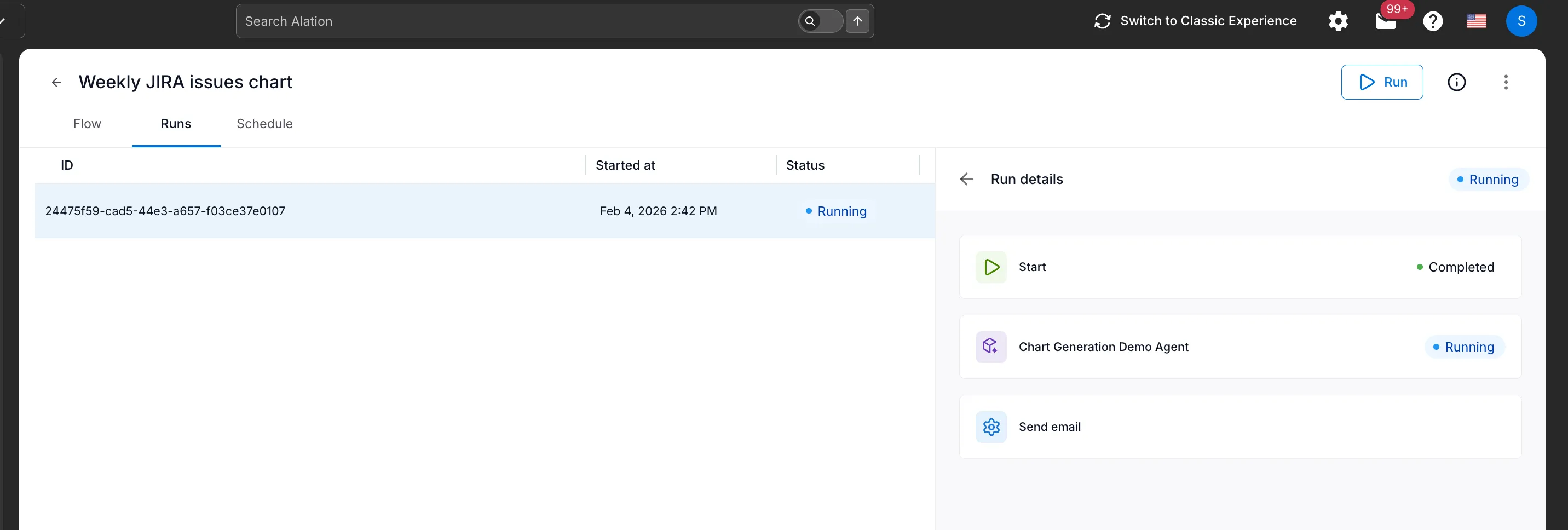
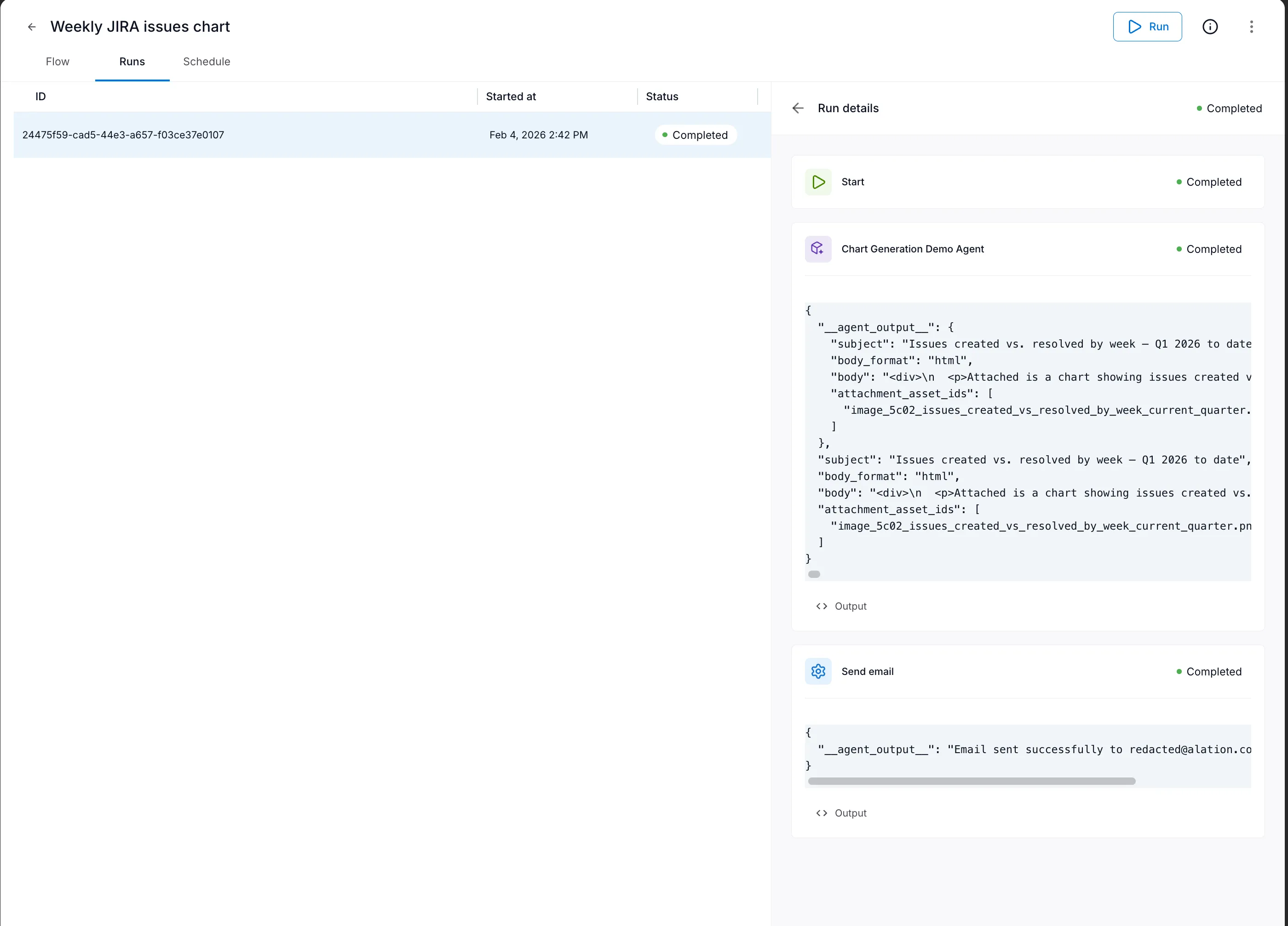
Each step shows its status (Completed, Running, or Pending). Expand completed steps to see their outputs.
Viewing results
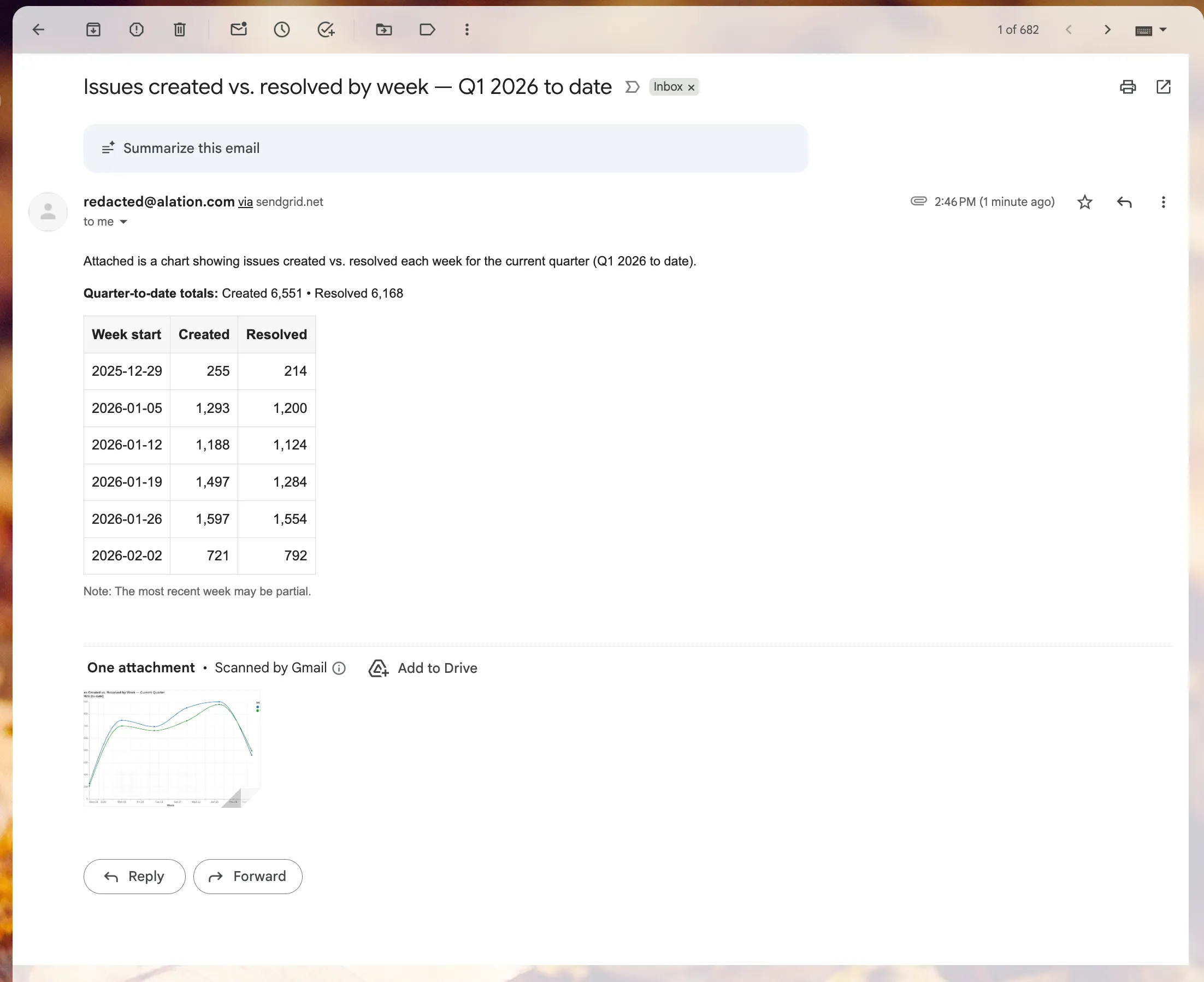
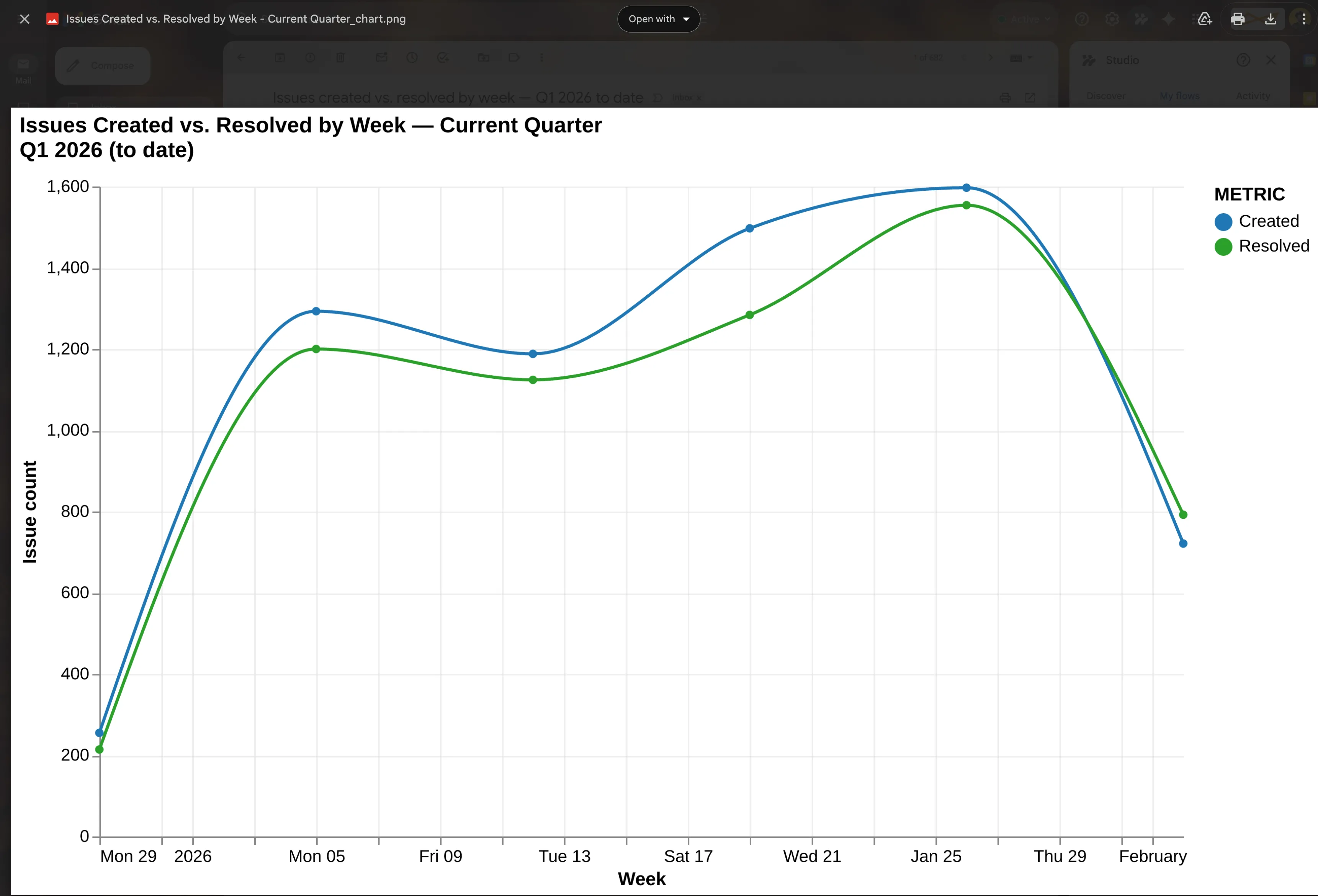
Section titled “Viewing results”The outputs from your flow depend on what steps you’ve configured. In this example, the email was sent successfully:
Scheduling flows
Section titled “Scheduling flows”Flows can run automatically on a schedule—daily, weekly, or at custom intervals.
Once authorized, you can create schedules from the Schedule tab:

Summary
Section titled “Summary”Agent Flows let you:
- Chain agents and tools into multi-step workflows
- Pass data between steps using variable references
- Run manually for testing or on-demand execution
- Schedule automatically for recurring tasks